




















Greengrocer
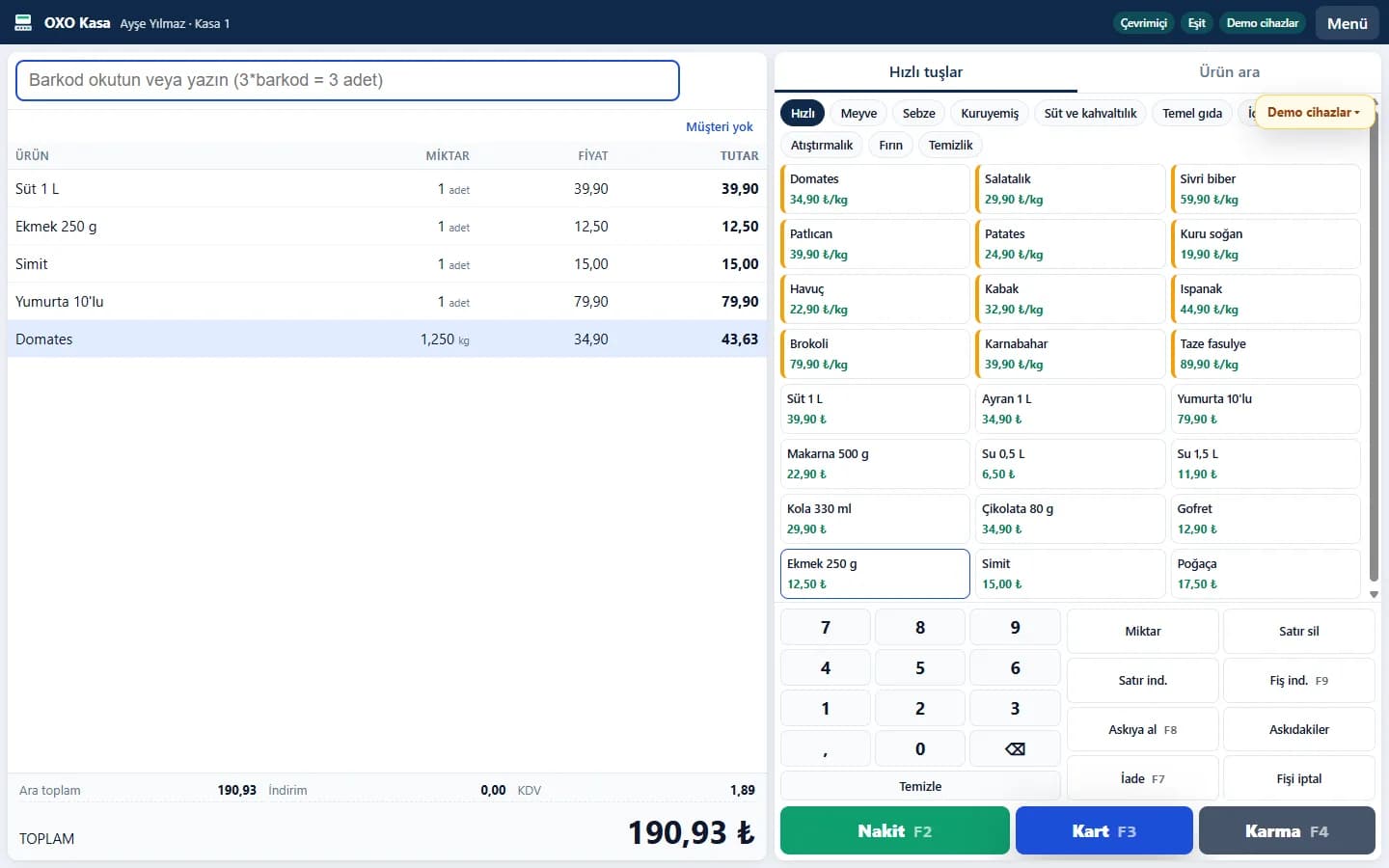
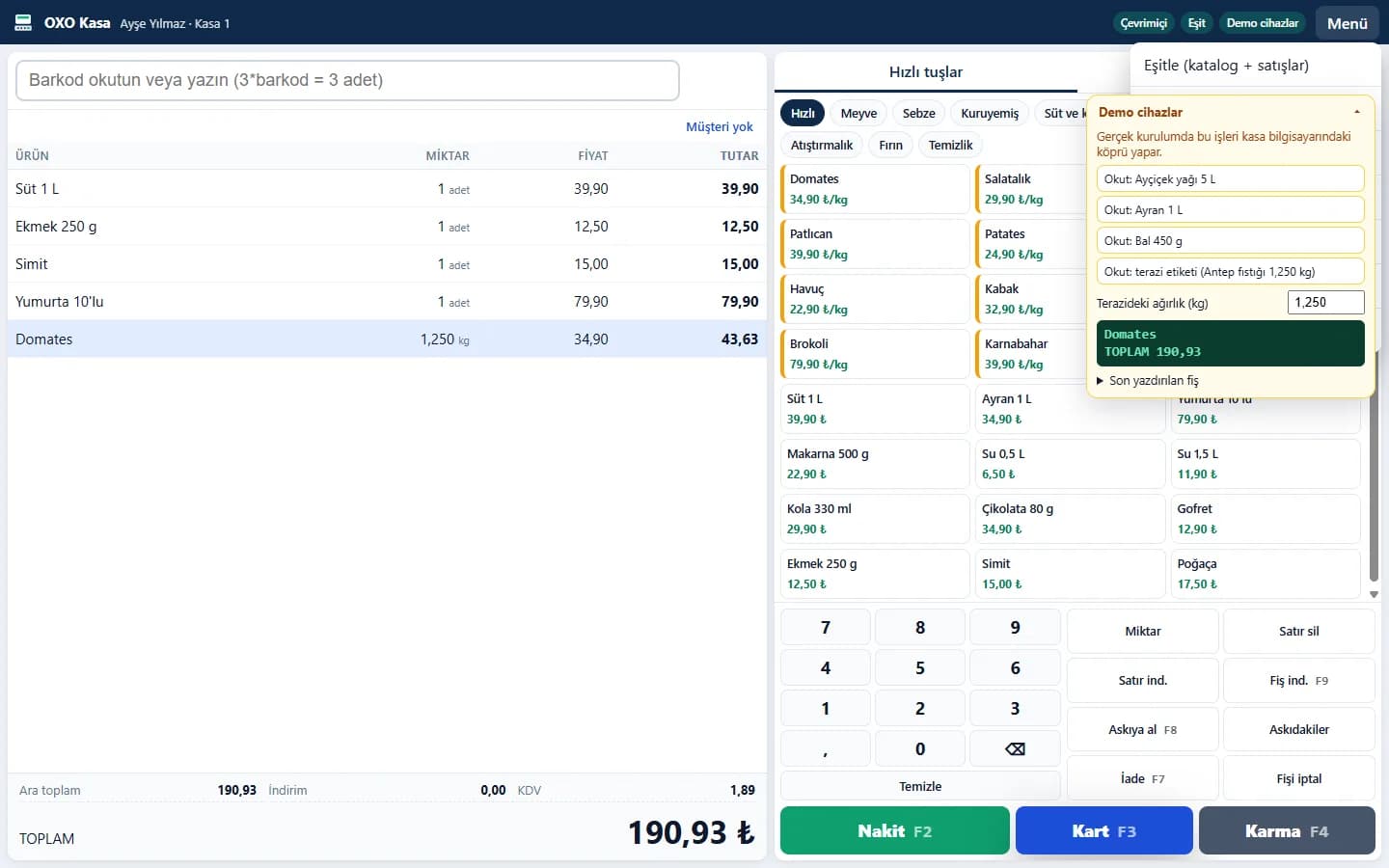
Sell by weight, read weight from the scale, decode scale label barcodes, quick produce keys, store credit and stock.

Touch-screen POS from markets and greengrocers to cafés and restaurants. Sell with barcodes and scales, run tables and checks, send orders to the kitchen display, take platform and phone orders, and deliver with your own couriers.
Links and logins for the market, restaurant, waiter, kitchen, QR menu and courier demos are listed below. All data is sample data.
One POS core with screens and modules tuned for each industry.
Sell by weight, read weight from the scale, decode scale label barcodes, quick produce keys, store credit and stock.
Barcode sales, purchase invoices and suppliers, price lists, customer loyalty, customer accounts and reports.
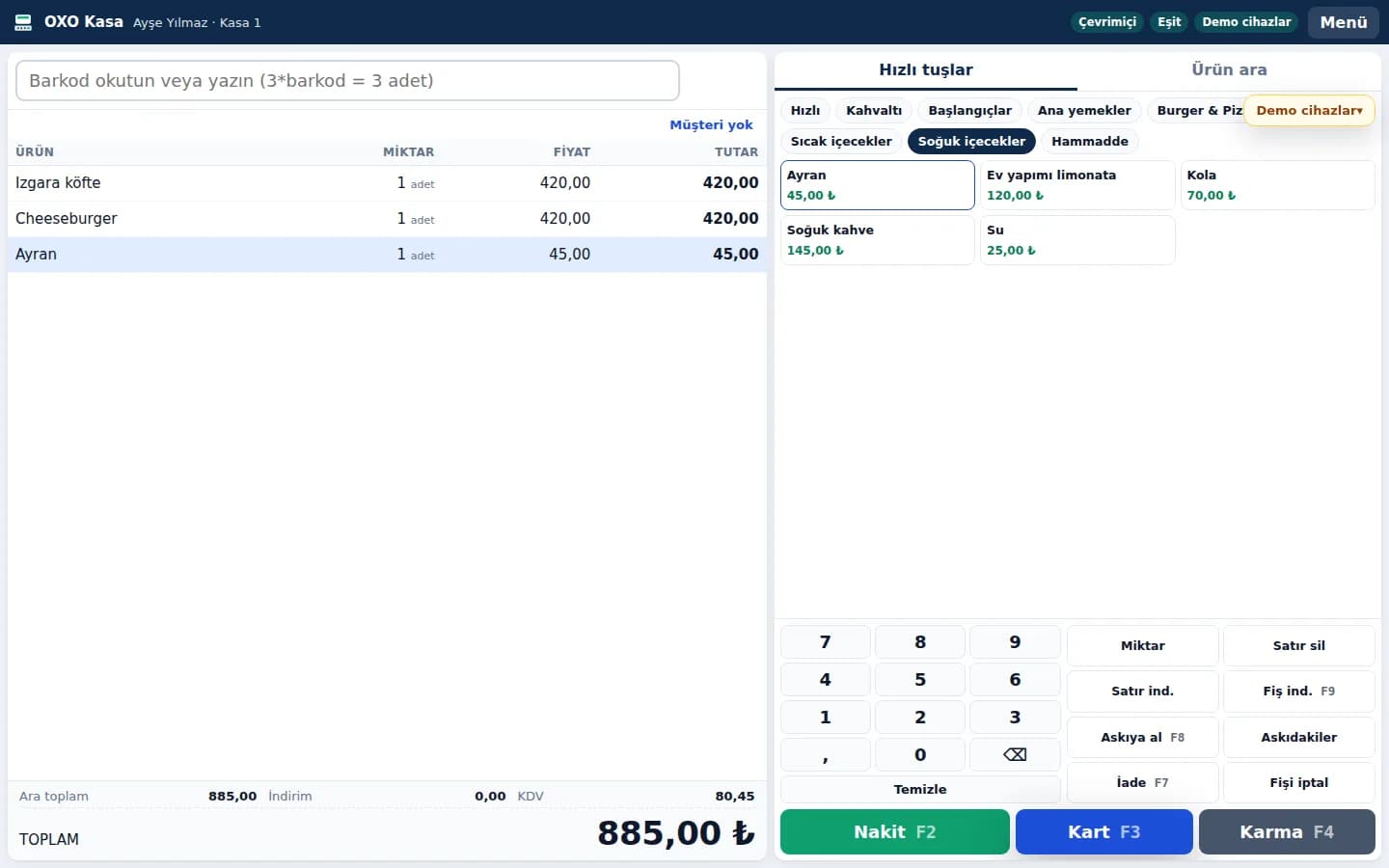
Fast touch sales, products with options (size, extras), tables and QR menu, kitchen and bar display.
Floor plan, checks and bill splitting, waiter app, kitchen display, plus Order Hub and OXO Courier for delivery.
Post restaurant and bar sales to the guest's room bill. The demo will be published on this page when it is ready.
The POS runs in the browser and stores sales on the device. When the connection returns, sales and the product catalog sync with the server; the screen shows online and sync status.
For products sold by weight, the weight is read from the scale and can be corrected. Barcoded labels printed by the scale are decoded at the till. Barcode scanners work like a keyboard, no driver needed.
The OXO Device Bridge runs on the till PC: ESC/POS receipt printers (USB, network or serial), cash drawers connected to the printer, serial customer displays and serial barcode scanners.
Shift opening, banknote and coin count, expected versus counted cash, card and cash split, receipt and refund counts.
Stock movements, suppliers and purchase invoices, customer accounts and collections, price lists, sales and shift reports.
Create e-Archive or e-Invoice documents from a sale and export them as UBL. Not tied to a specific provider.
Cashiers sign in with a PIN. Discounts and refunds by cashiers without permission require a supervisor PIN; approvals are written to the audit log.
Quick keys, product search, line and receipt discounts, hold, refund, cash, card and split payment; keyboard shortcuts (F2 cash, F3 card).
One system from table to kitchen, from till to delivery. Screens are taken from the restaurant demo.
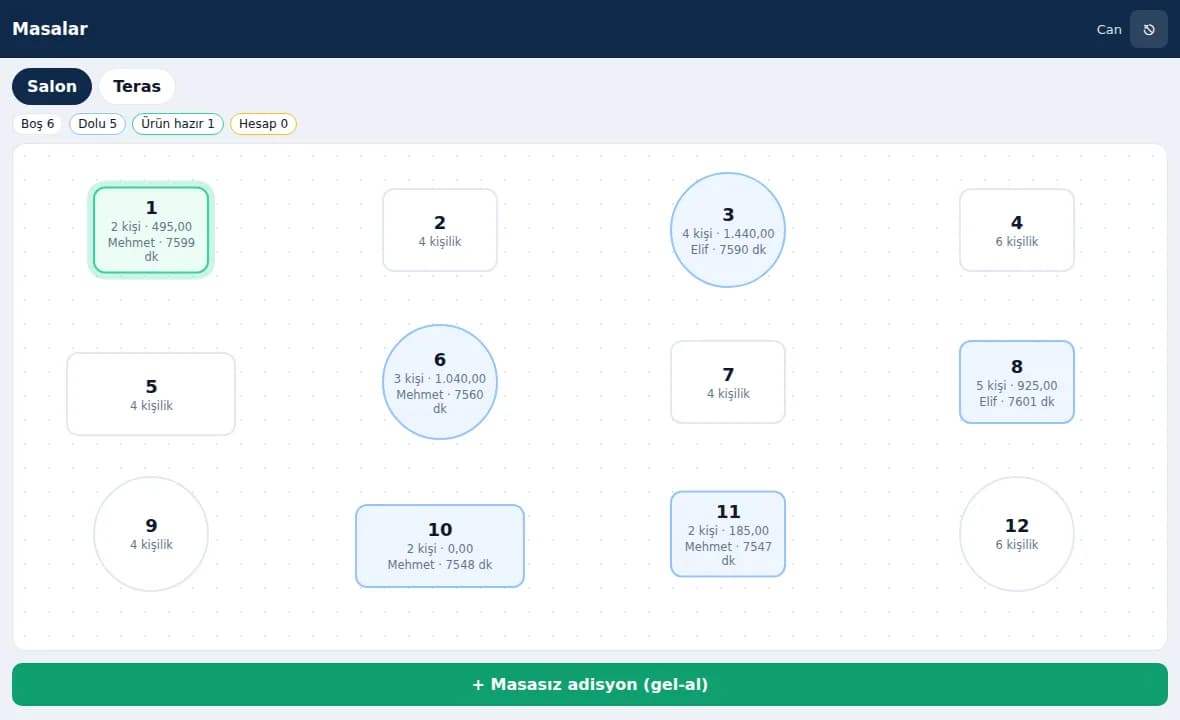
Areas such as hall and terrace; see at a glance whether a table is free, occupied, has items ready or has asked for the bill. Move tables and open takeaway checks without a table.
Items are added to the table and sent to the kitchen; split the bill when needed and pay by cash, card or both.
Separate kitchen and bar stations; orders appear on screen and ready items are flagged to the waiter. Orders can also be routed to kitchen and bar printers.
Sign in with a PIN on a tablet or phone; open tables, add items, send to the kitchen and request the bill.
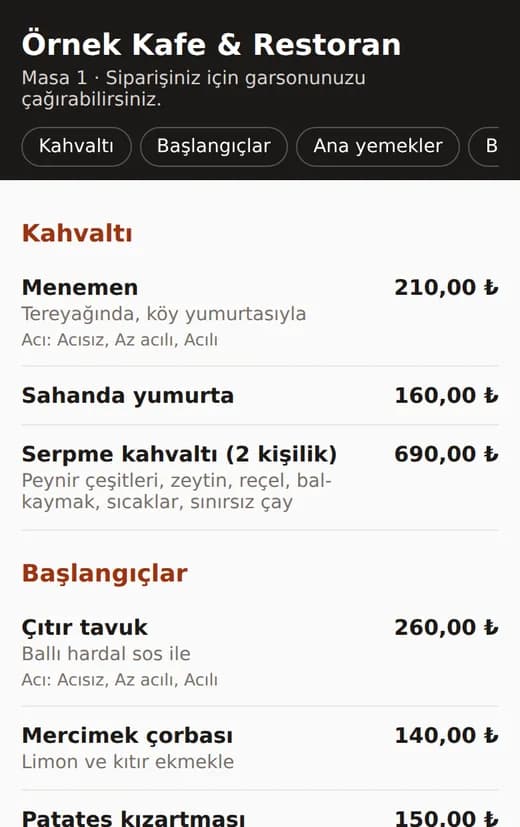
The QR code on the table opens the menu and prices. The menu is view-only; guests order through the waiter.
Spice level, size and side options; stock is deducted by ingredient recipe.
Till sales keep working offline. Tables and checks, the kitchen display and Order Hub need a server connection.
Collect delivery orders on one screen. The current status of each platform connection is stated plainly below.
| Channel | Details | Status |
|---|---|---|
| Phone orders | Enter orders received by phone into Order Hub | Ready |
| Caller ID | Software side ready; the Caller ID device is connected during setup | Connected at setup |
| Trendyol Go | Connection built; goes live after the business's API credentials are verified | Pilot (with API credentials) |
| Getir | Connection built; goes live after the business's API credentials are verified | Pilot (with API credentials) |
| Migros Yemek | Connection built; goes live after the business's API credentials are verified | Pilot (with API credentials) |
| Yemeksepeti | Will open after the platform's integration partner approval | Awaiting partner approval |
In the demo, platform orders are simulated. Platform names belong to their owners; OXO does not claim to be an official partner of these platforms.
Deliver with your own couriers. Runs on the courier's phone, nothing to install.
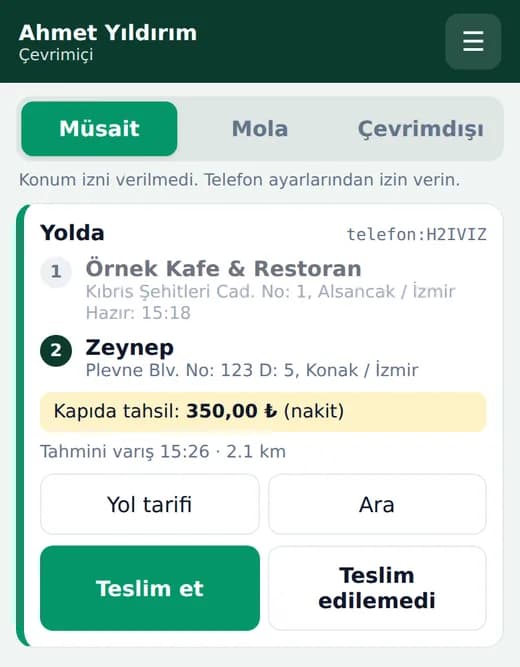
Every link was checked before publishing. Logins are for the demos only.
Demo data is sample data. Order Hub and the admin panel are shown live during the quote call. The demos are in Turkish.
Screens are taken from the live demo; products and prices are samples.
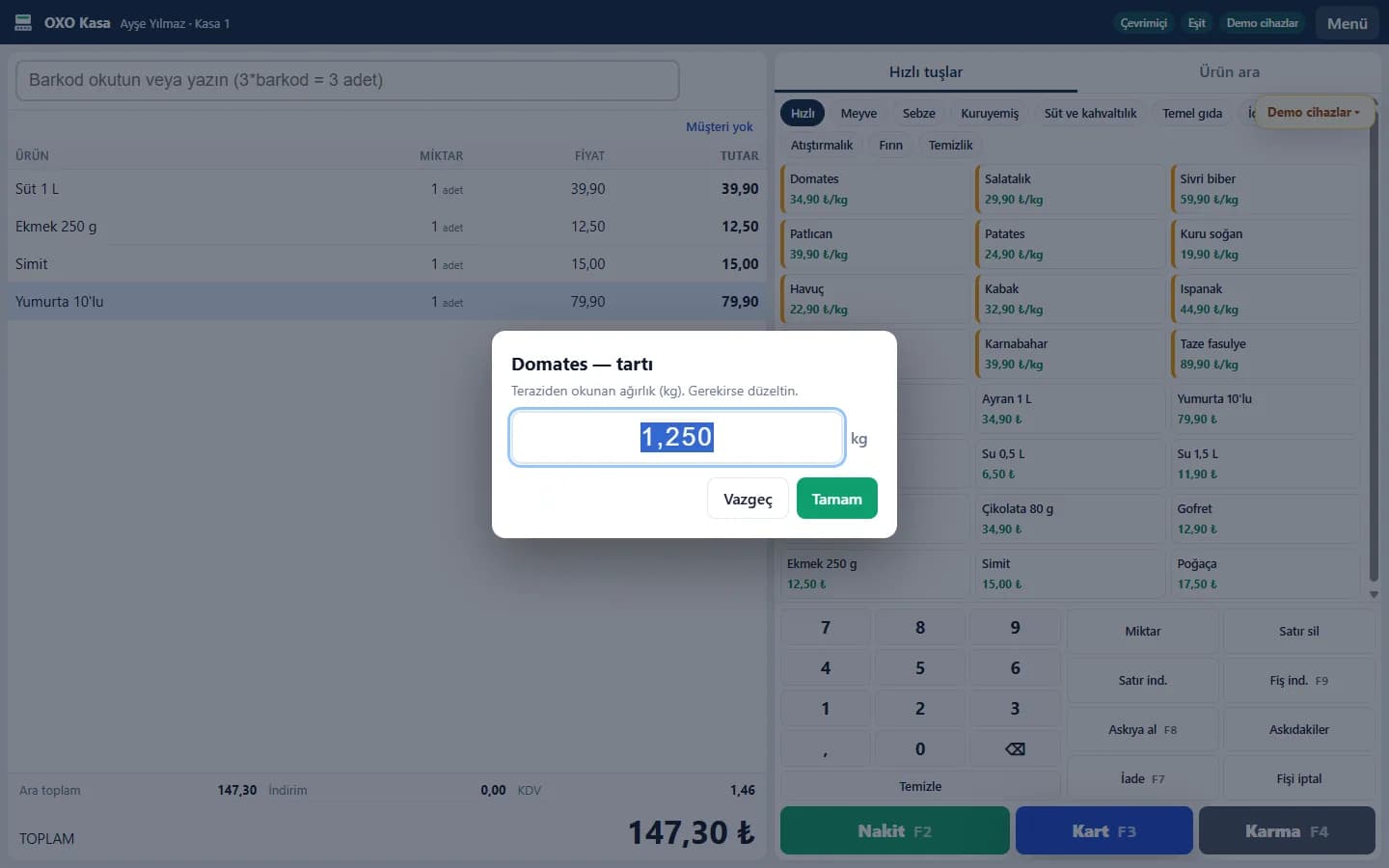
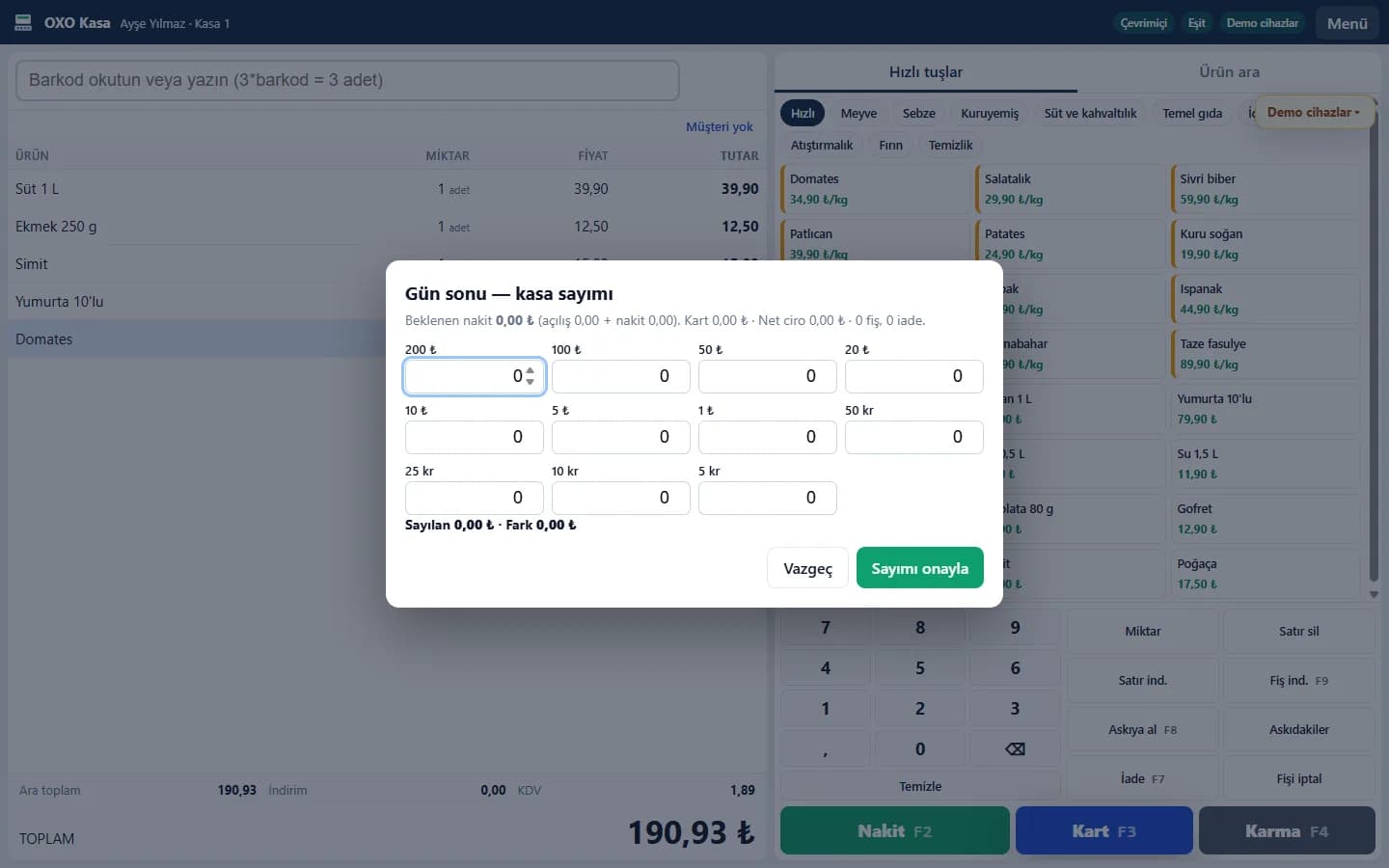
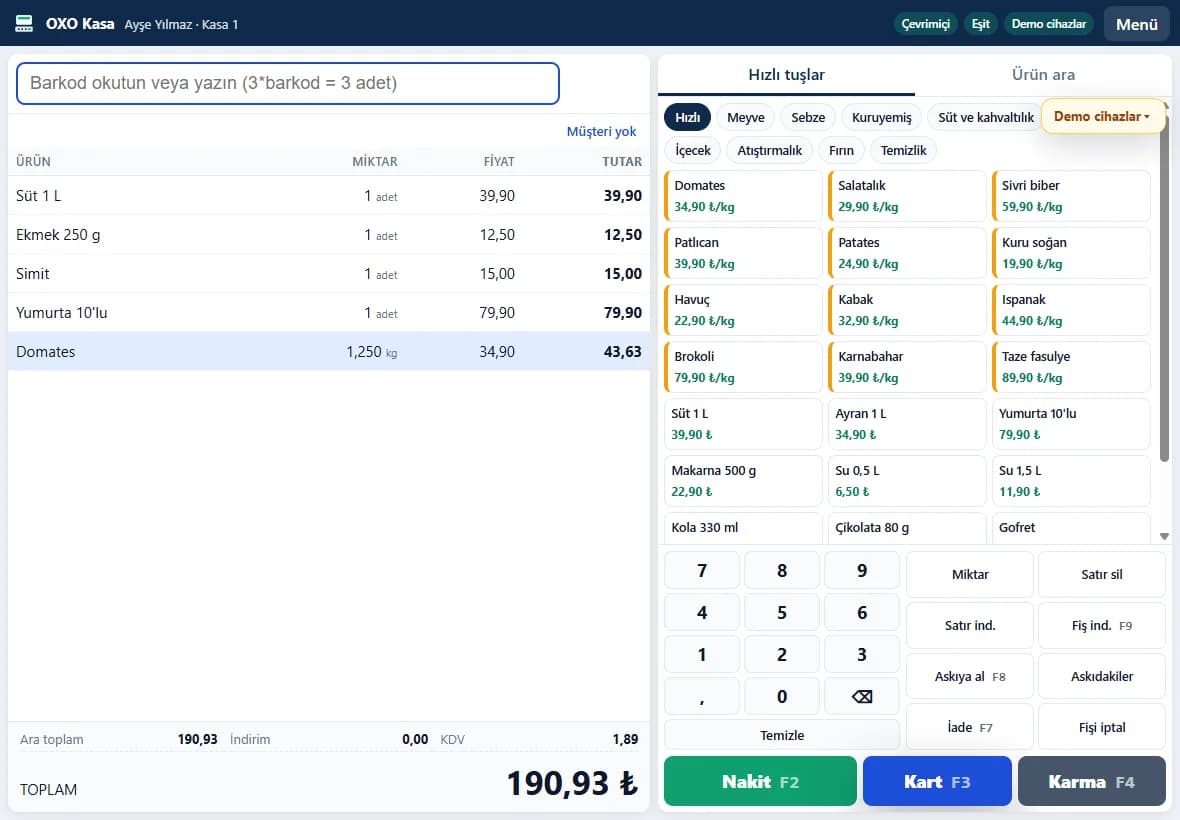
We state plainly which devices and integrations are ready today. The list is updated as it grows.
| Device / integration | Details | Status |
|---|---|---|
| Receipt printer | ESC/POS; USB (Windows printer), network (TCP 9100) or serial port | Ready |
| Kitchen and bar printer | Items are routed to the kitchen or bar printer (ESC/POS) | Ready |
| Kitchen display (KDS) | Runs in the browser; tablet, TV or touch screen | Ready |
| Cash drawer | Opened via the printer's RJ11 port | Ready |
| Barcode scanner | USB (keyboard mode) directly; serial scanners via the bridge | Ready |
| Customer display | Serial customer display (VFD) via the bridge | Ready |
| Till-connected scale: CAS | CAS standard output format | Pilot |
| Till-connected scale: Mettler Toledo | MT-SICS protocol | Pilot |
| Till-connected scale: Dibal, Densi and others | Configured to the scale's serial output format | Pilot |
| Label scale product list (PLU) | A CSV file is generated and loaded with the scale's own software | Ready |
| Direct PLU upload to label scales over the network | CAS CL and Dibal network protocols | Coming soon |
| Caller ID device | Software side ready; the device is connected during setup | Connected at setup |
| e-Archive / e-Invoice document | UBL export; provider-independent | Ready |
| Direct e-invoice provider connection | Send documents directly to the provider | Coming soon |
| New-generation fiscal cash register (ÖKC) | Requires integration per manufacturer; fiscal receipts are still issued by your cash register today | Coming soon |
Ready: complete in the software. Pilot: software ready, being verified in the field on different models or accounts. Awaiting partner approval: cannot open without the platform's approval. Coming soon: on the roadmap.
Brand and platform names mentioned belong to their respective owners. We do not claim compatibility with every cash register or scale model; we check your devices together during the quote.
Post restaurant and bar sales to the guest's room bill. The demo will be published here when it is ready.
Send the fiscal receipt from the POS to the cash register; done per manufacturer.
Price
Request a quote
Tell us your industry, number of tills, the devices you use and your order channels; we will send you a suitable setup and price.